
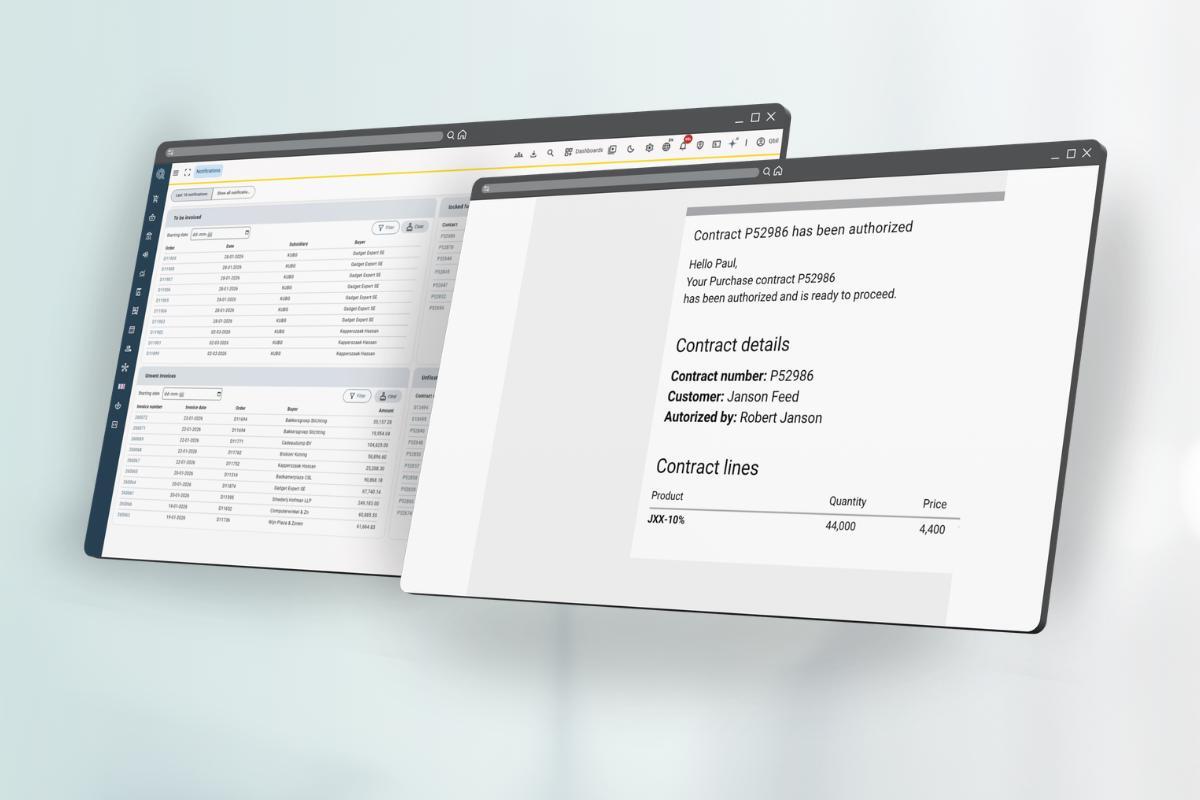
Automatic Contract Approval Notification for Traders
Introduction
When an approver authorizes a contract in Qbil-Trade, the assigned trader now automatically receives an email notification confirming the contract is fully approved and ready to be sent out. This removes a manual follow-up step from the contract approval workflow and helps traders respond faster.
What changed
Previously, traders had no automated signal that a contract had been approved. They either had to check the status manually in the Contracts module or wait for the approver to reach out directly.
After this update, the notification triggers immediately after the final approver authorizes the contract. No additional action is required from the approver or the trader.
This functionality will also be expanded further in upcoming updates, allowing users to see approval notifications and statuses directly inside Qbil-Trade itself for even better visibility within the workflow.
How it works
- An approver opens the contract and authorizes it.
- Qbil-Trade detects that all required approvals are complete.
- The system sends an email notification to the assigned trader.
- The trader receives confirmation that the contract is fully approved and can be sent out.
Who this affects
This applies to any contract that goes through an approval flow in the Contracts module. The notification is sent to the trader assigned to the contract at the time of final authorization.
Lots — Attachment Support
New feature
You can now add attachments directly to Lots in Qbil-Trade. This makes it possible to store supporting documents — such as quality certificates, delivery notes, or other related files — directly on the Lot record, keeping all relevant information together in one central place.
By attaching documents directly to the Lot, users can improve traceability, reduce time spent searching for files, and ensure important documentation stays linked to the correct stock or shipment throughout the process.
Questions?
Would you like to know more about these improvements or how they can support your workflow? Please contact the team at Qbil Software – we are happy to help.